
Trade Bitcoin P2P over Nostr
No intermediaries. No custody. Just Bitcoin and freedom.
Download Mostro
No intermediaries. No custody. Just Bitcoin and freedom.
Download MostroKmbalache is a Mostro instance operated by the Cuba Bitcoin community.
Mostro is a P2P exchange protocol that runs over Nostr, designed to enable buying and selling Bitcoin in a decentralized way, with no custody, no intermediaries and no KYC, preserving user privacy.
With Kmbalache you can trade sats for local currency directly with other people, using Lightning Network for fast, efficient and low-cost transactions.
Just like Bitcoin, Kmbalache has no borders: anyone, from anywhere in the world, can buy or sell Bitcoin using their local currency. We invite you to use our Mostro instance and become part of a truly free market.
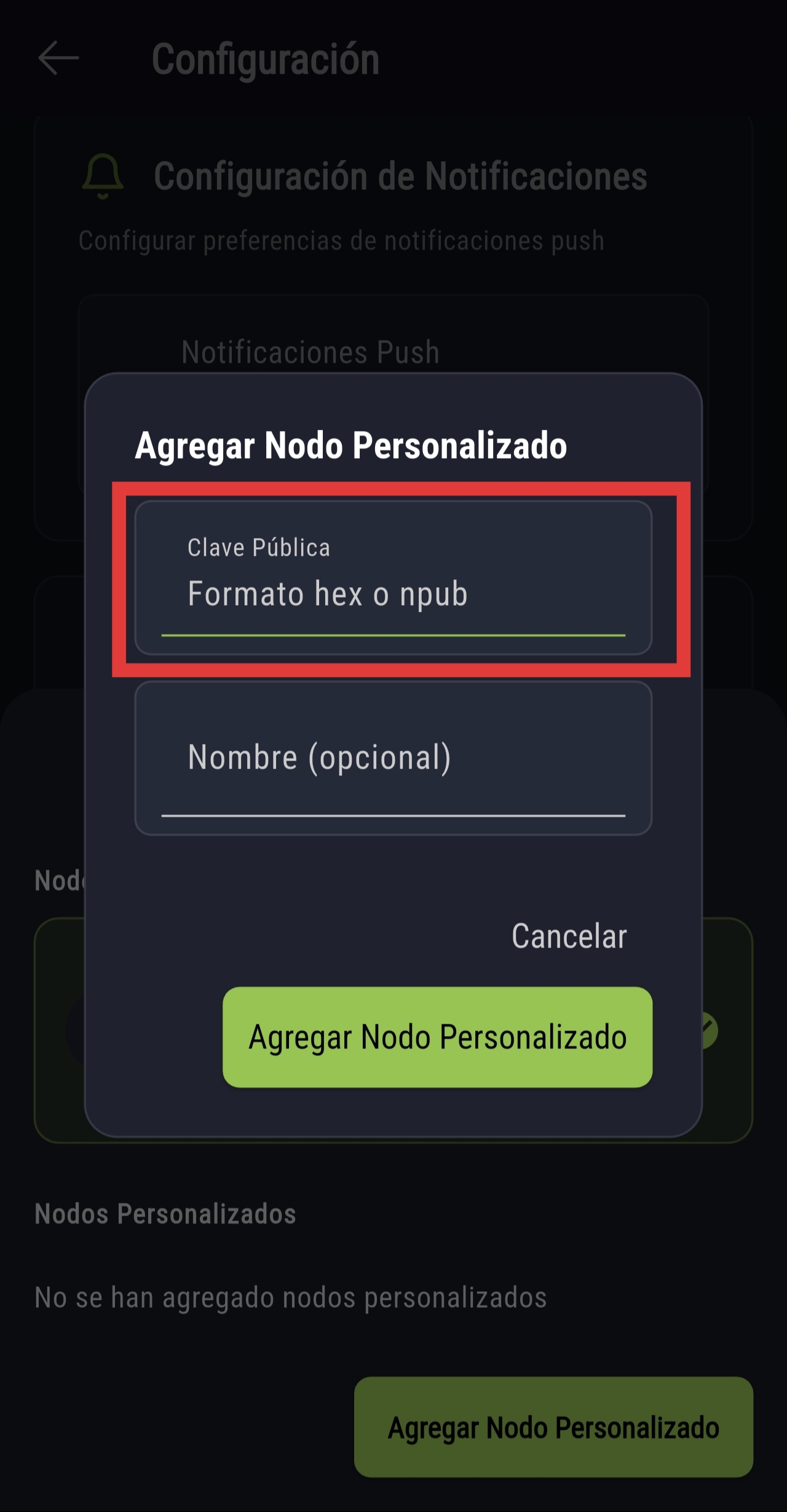
To add Kmbalache manually, paste the following key in the Mostro app:
00000235a3e904cfe1213a8a54d6f1ec1bef7cc6bfaabd6193e82931ccf1366a
wss://relay.mostro.network
wss://nos.lol
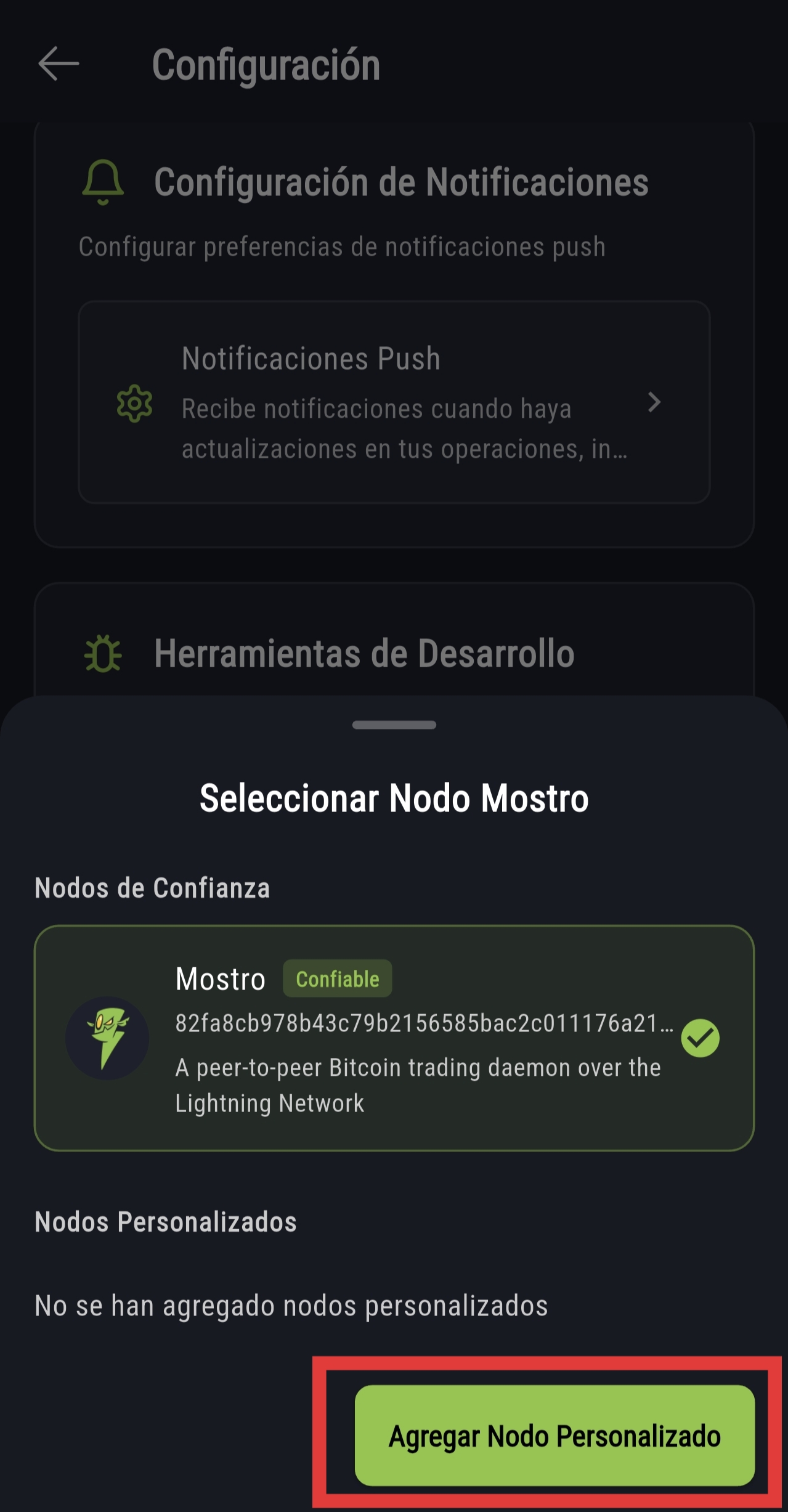
Set up Kmbalache as your Mostro instance in just 8 steps:
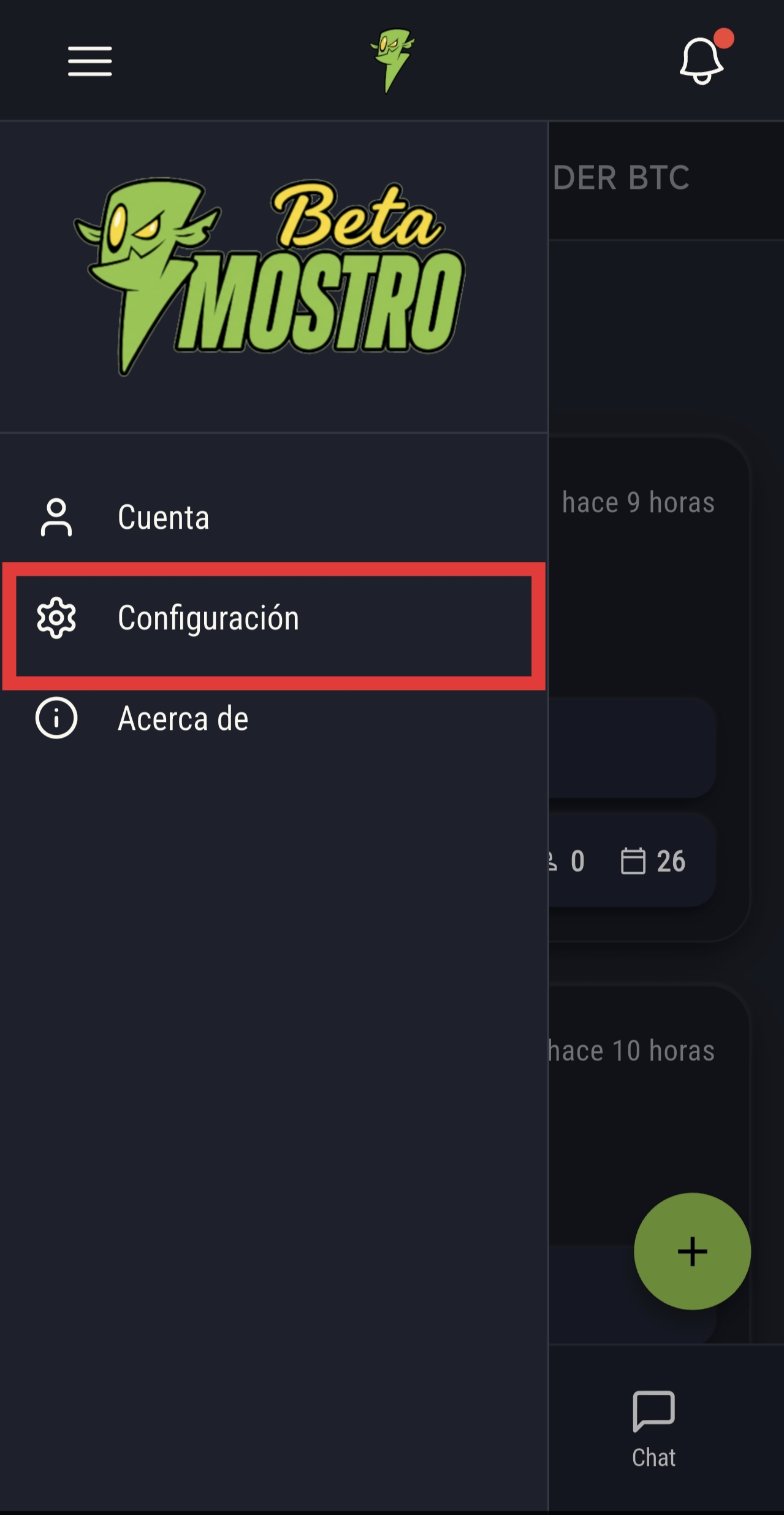
Open Mostro and go to the side menu
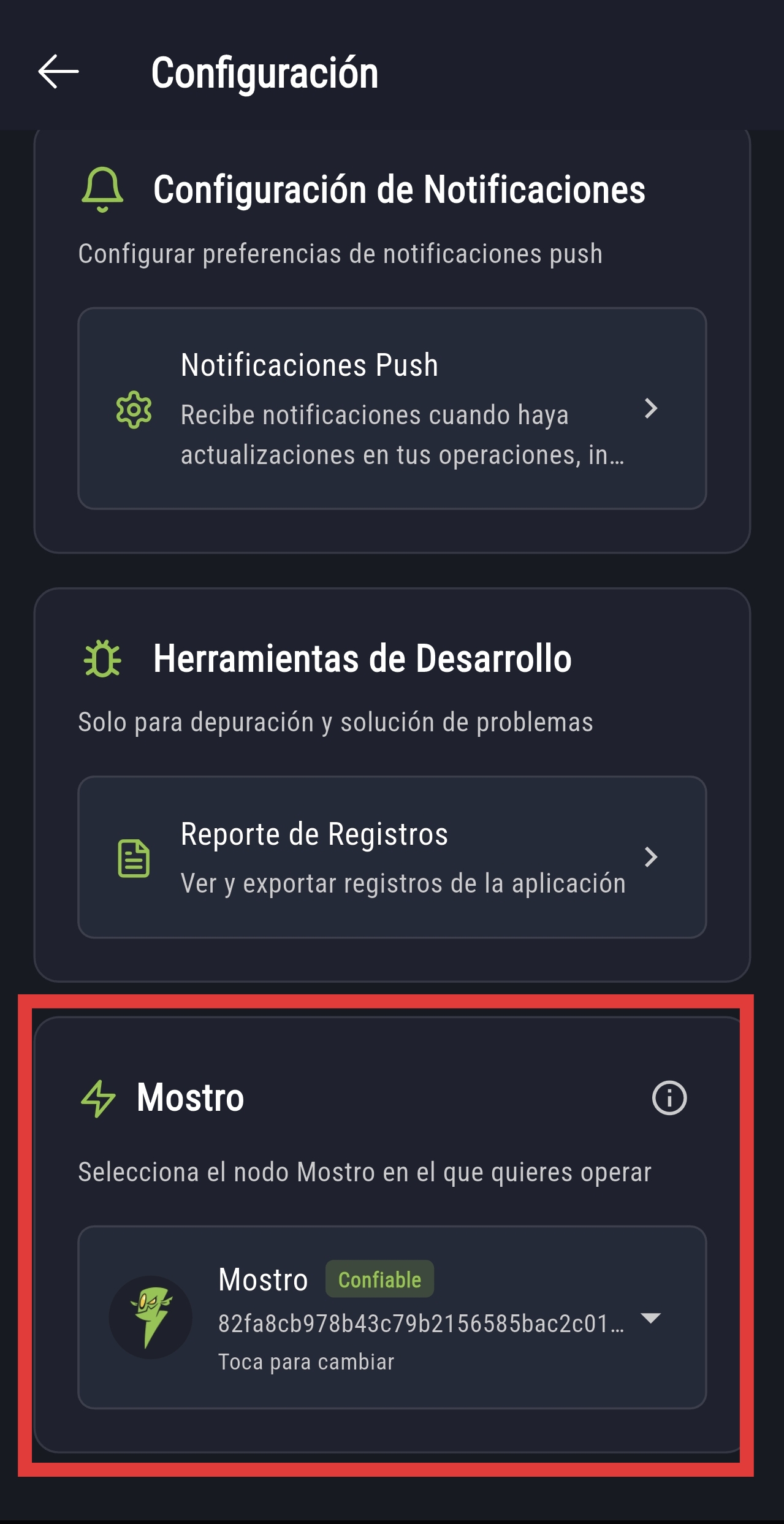
Select "Settings"
Find the "Mostro" section at the bottom
Tap "Select Mostro node"
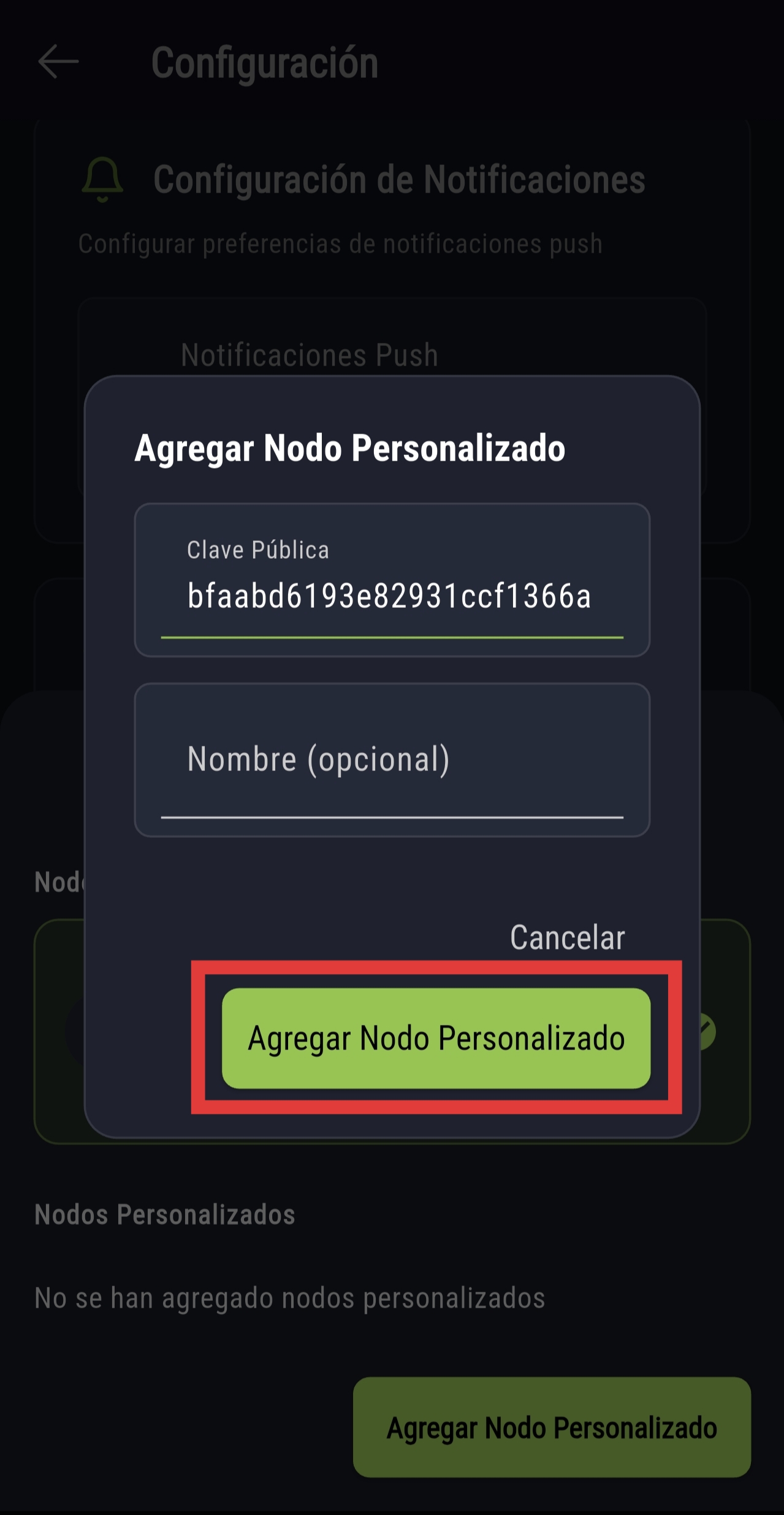
Find "Kmbalache" in the list
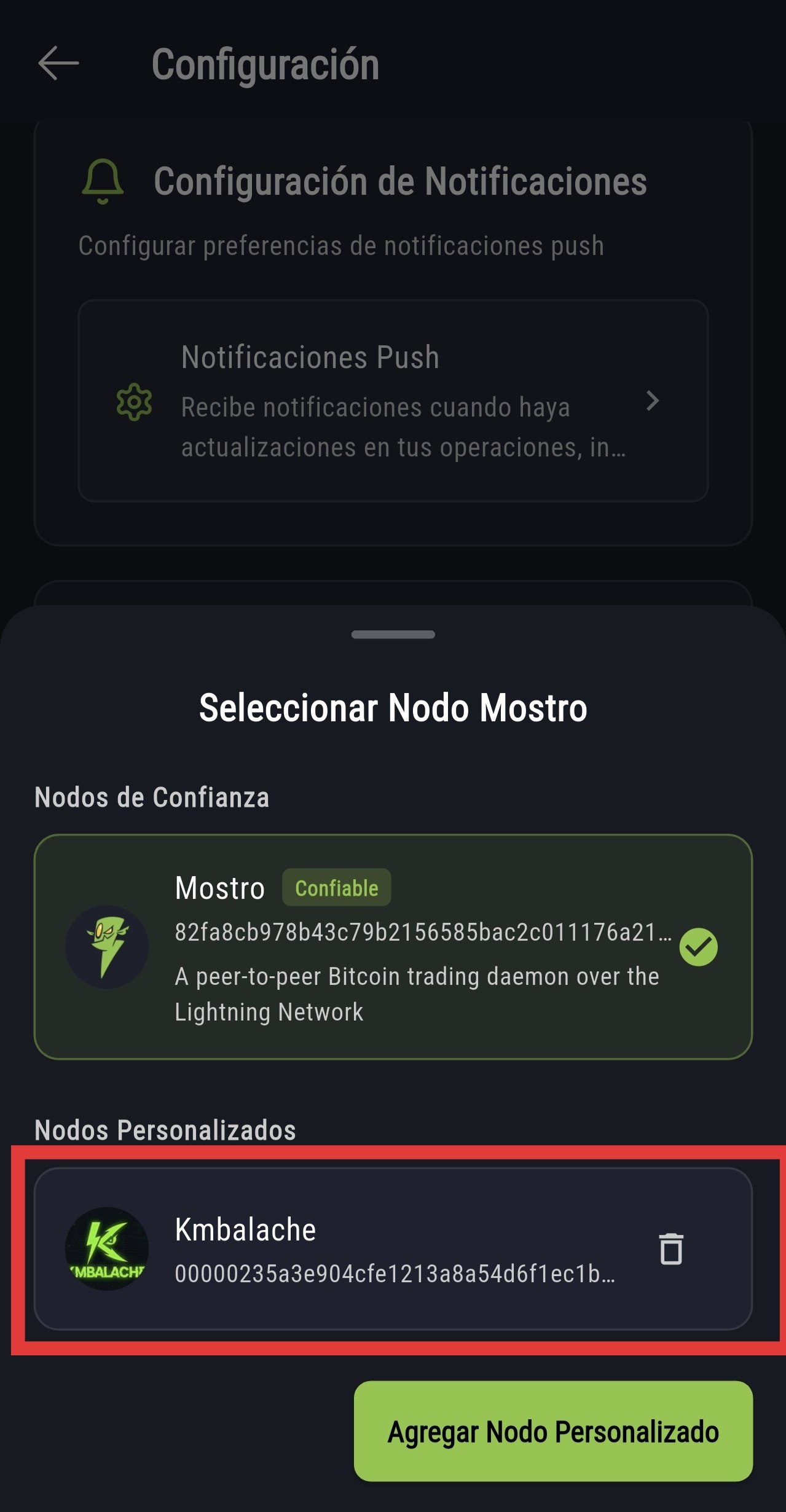
Confirm the Kmbalache selection
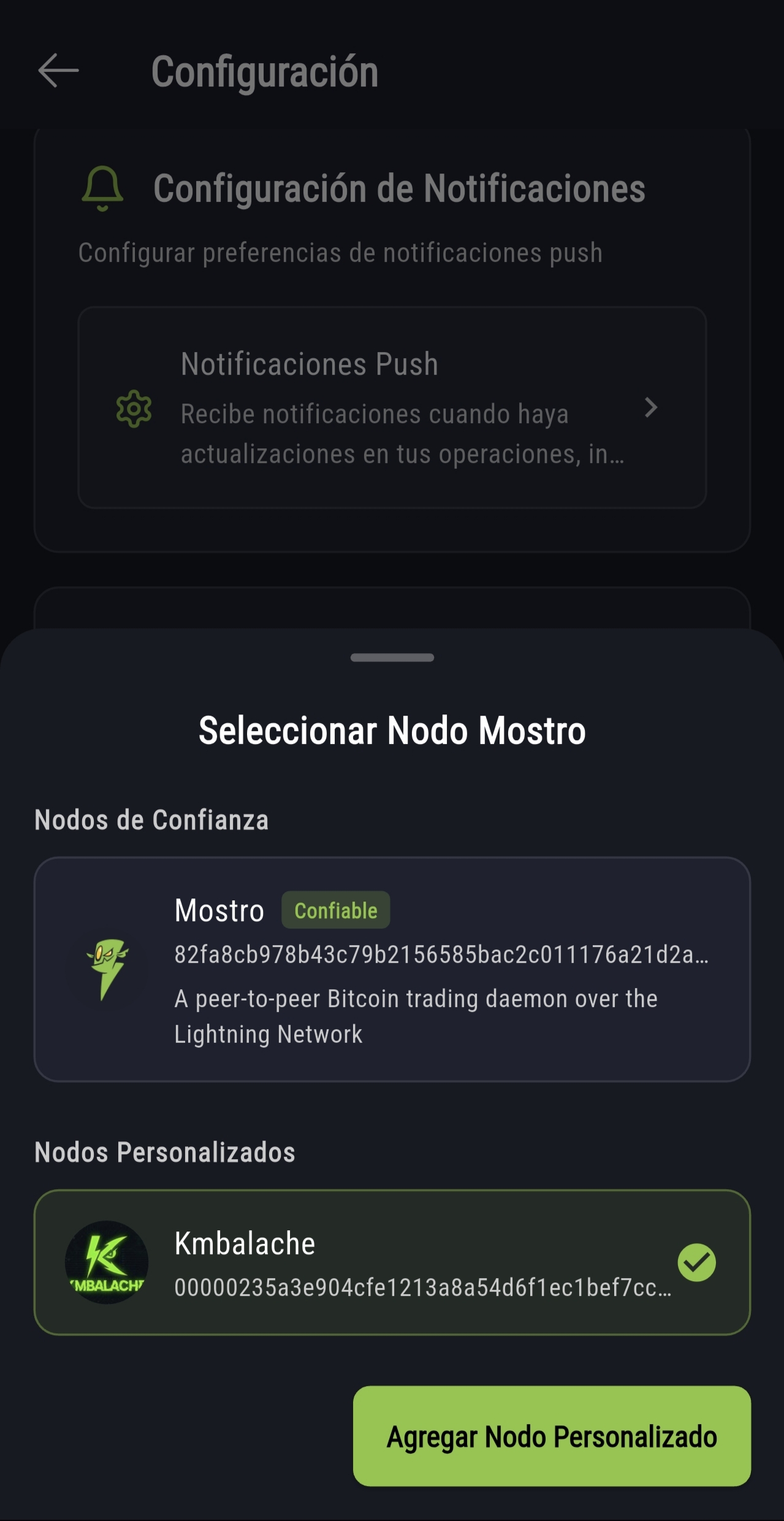
Verify that Kmbalache is active
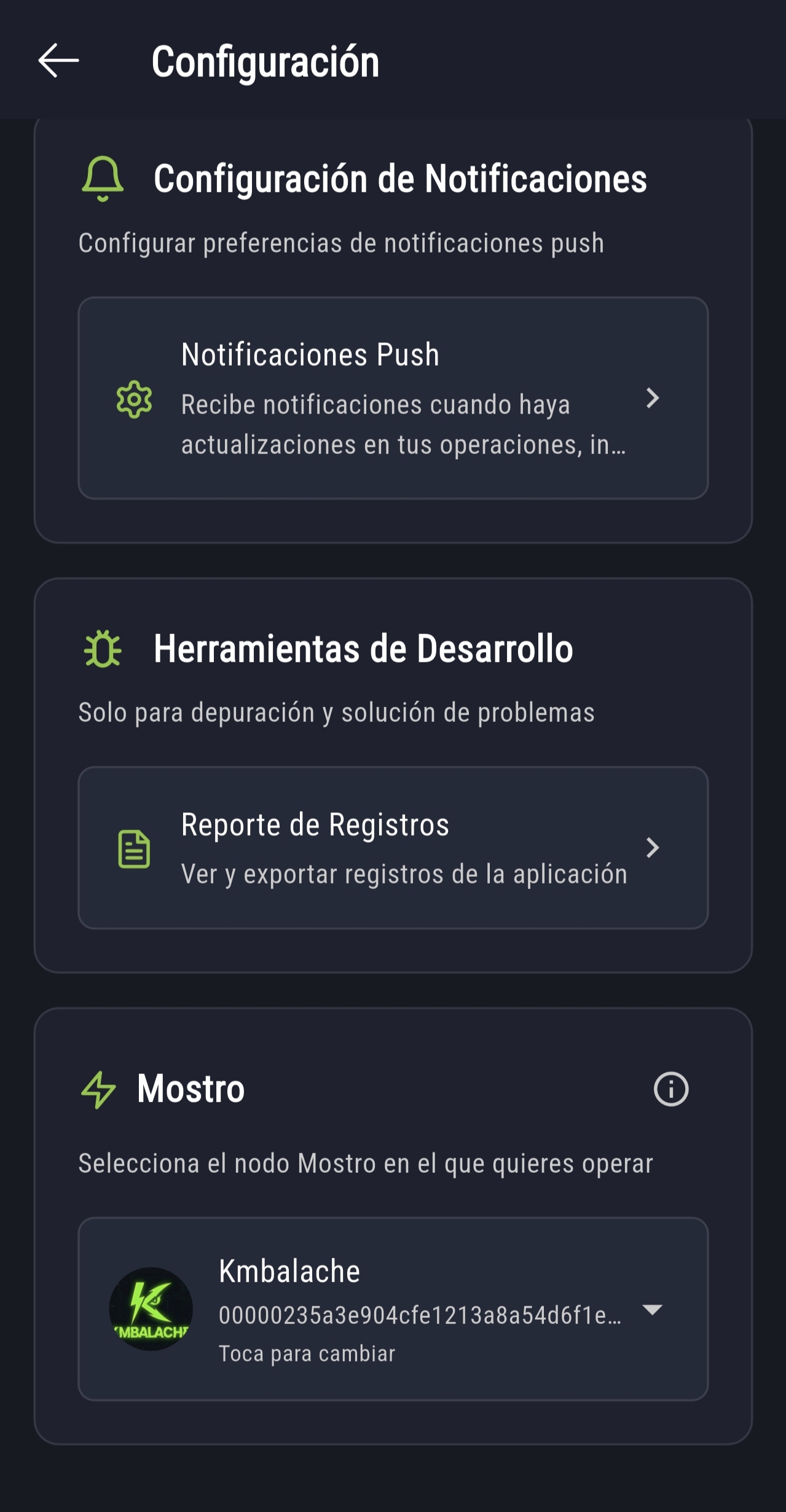
Done! Start trading on Kmbalache